Your Crew & Cast, Organized
Build your crew list and cast list with every detail you need — names, positions, contact info, departments, and day-player status — all in one sortable, searchable view.
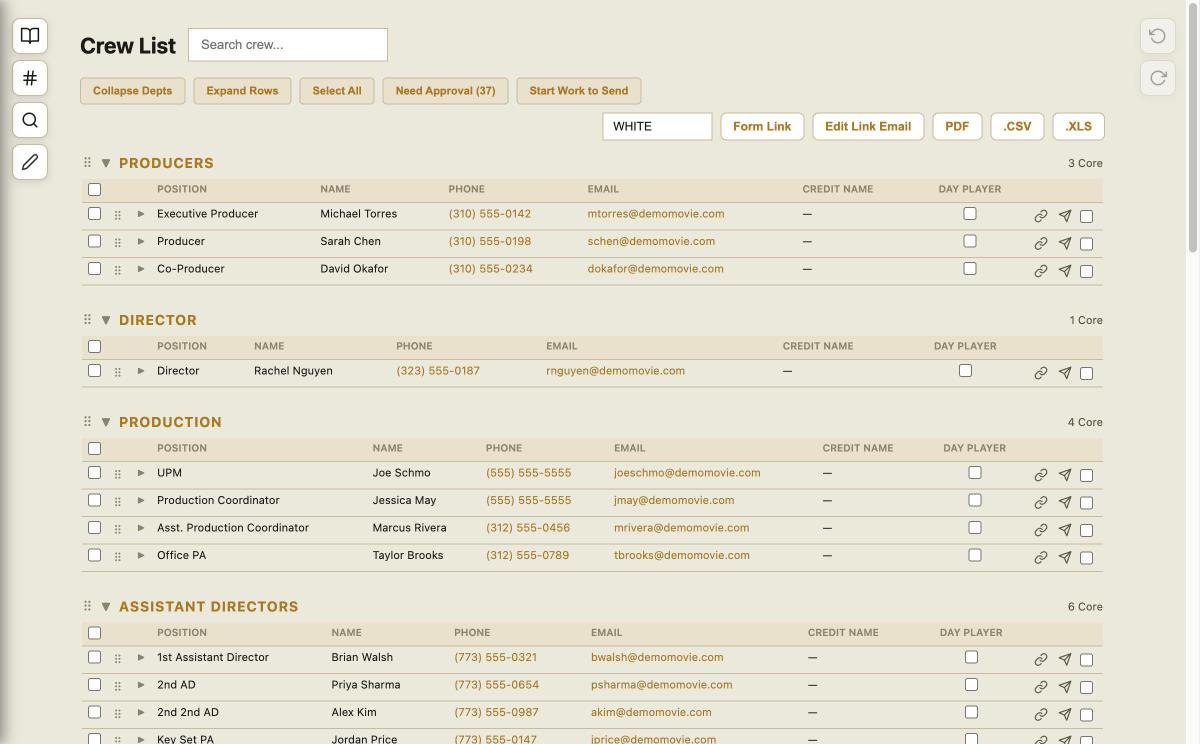
Departments at a Glance
Organize your entire crew by department — Producers, Director, Production, ADs, Camera, Grip & Electric, Art, Wardrobe, Hair & Makeup, and more. Expand or collapse sections to find who you need.
- Drag-and-drop crew ordering within departments
- Track core crew vs. day players
- One-click export to PDF, CSV (uploadable to Scenechronize), or XLS
- Bulk approval workflow — select and send Start Work packets
- Shareable form link for crew to self-submit their info
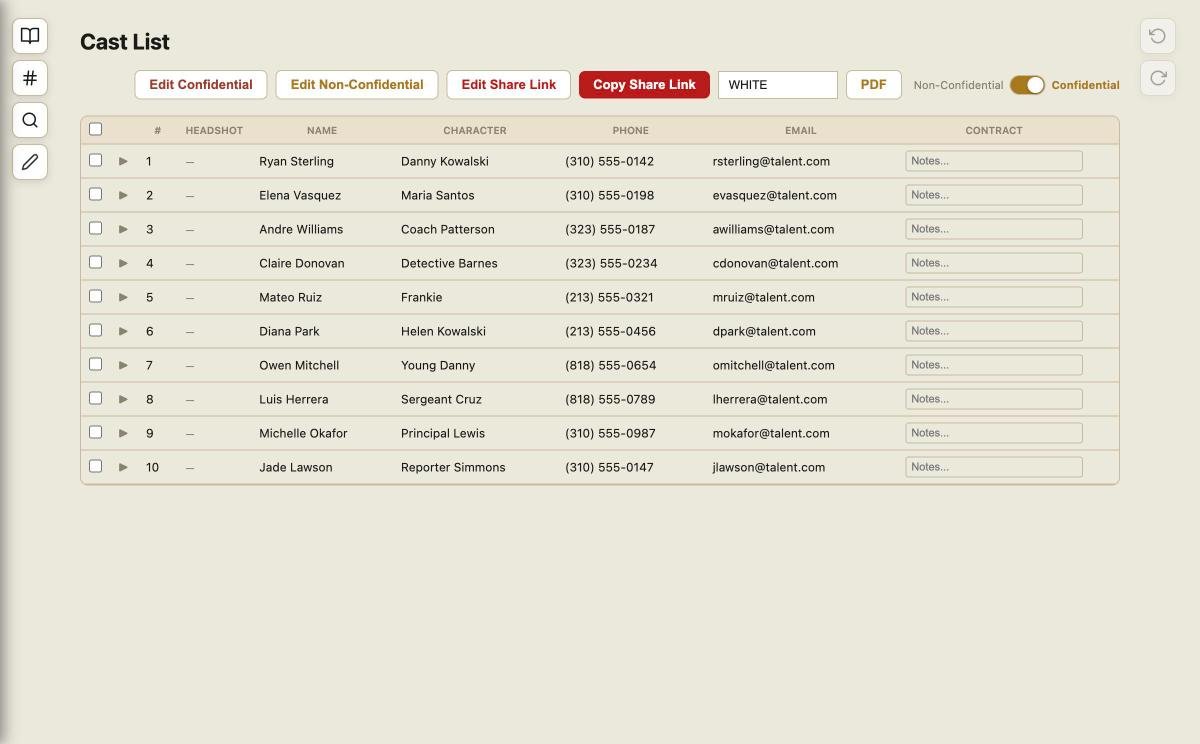
Fully Featured Cast List
Keep your cast organized with character names, actor details, agent contacts, and fitting schedules. Same powerful sorting, filtering, and export tools as the crew list.
- Character number and name tracking
- Agent and manager contact fields
- Credit name management
- Confidential and Non-Confidential
Prep Schedules & Daily Time Sheets
Build your prep schedule with drag-and-drop ease, and replace paper daily time sheets with a live online form for the production report.
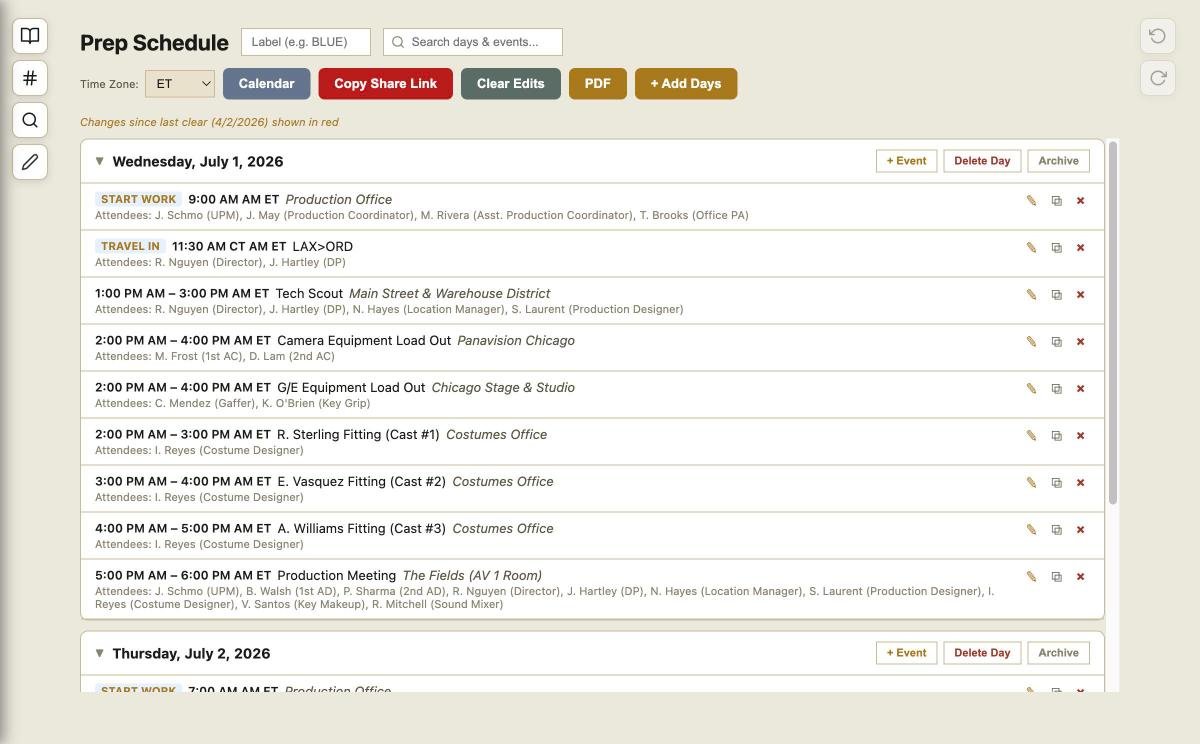
Drag-and-Drop Prep Scheduling
Replace your Word document prep schedule with a drag-and-drop builder that auto-fills crew names from your crew list. Generate a print-ready PDF in one click.
- Drag-and-drop interface — build days and events fast
- Auto-fill attendees from your crew & cast lists
- Change tracking — edits highlighted in red since last clear
- Shareable link for department heads to follow along
- One-click PDF with print-optimized formatting
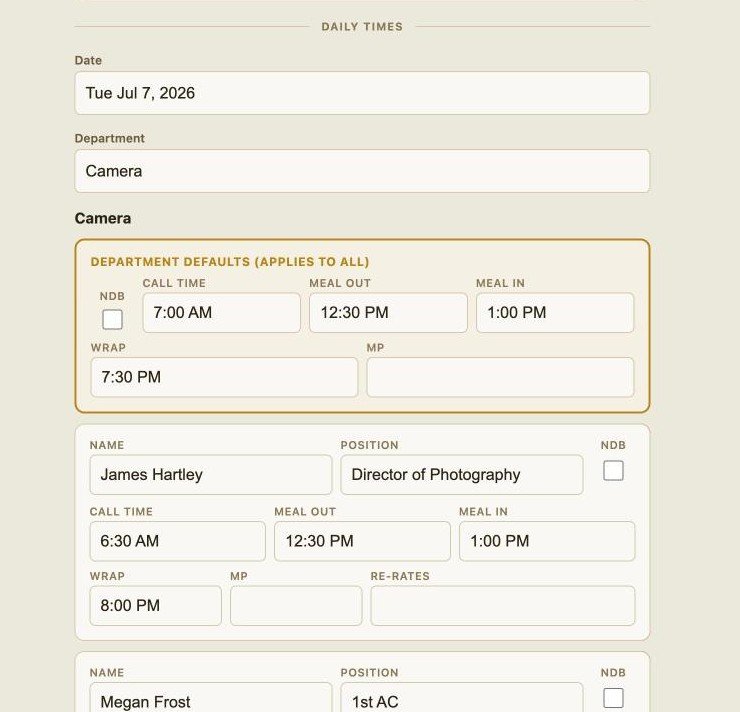
Digital Daily Time Sheets
Replace paper daily time sheets with a live online form. Department heads submit call times, meal breaks, and wrap times via a shareable link — data flows straight into the production report.
- Shareable link — no login needed for department heads
- Live updates for the production report
- Per-crew-member time tracking with NDB, MP & re-rates
- Mobile-friendly — submit times from any device
Budget, POs & Vendor Tracking
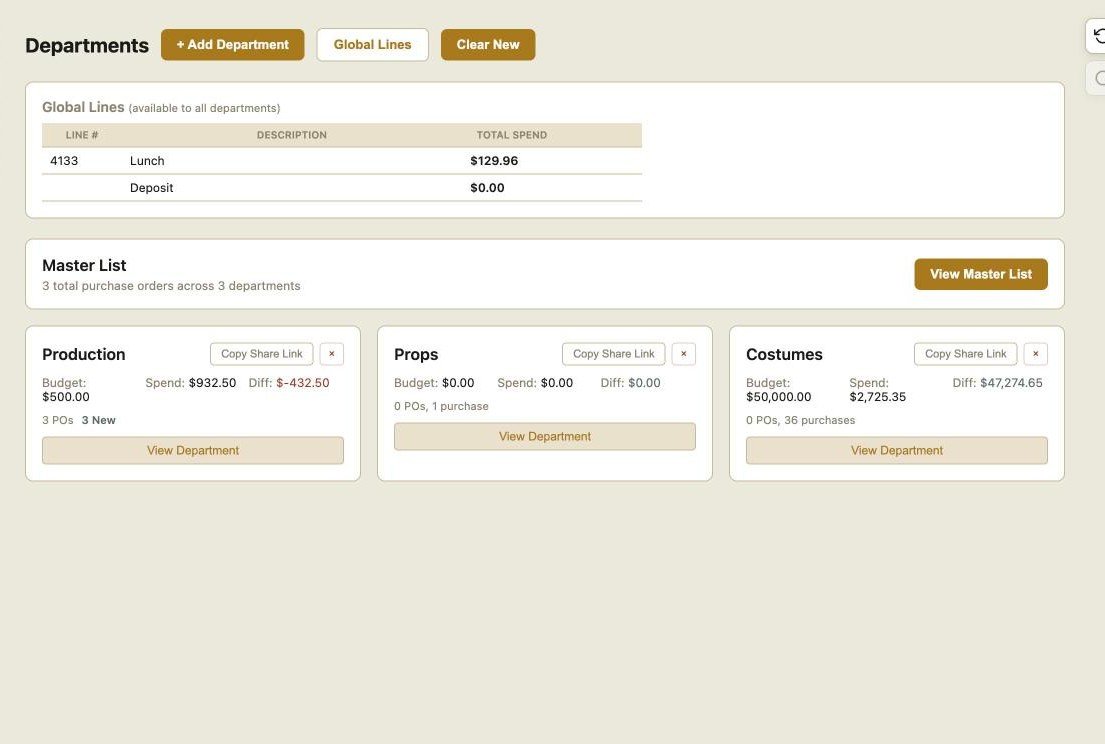
Give your departments a budgeting tool to stay on track and get up to the minute costs.
Purchase Orders & Spend Tracking
Create and manage purchase orders with vendor details, amounts, descriptions, and approval status. See your running total against budget at a glance.
- Create POs with auto-incrementing numbers
- Track estimated vs. actual spend per category
- AI-powered receipt scanner — snap a photo, auto-fill the PO
- Export budget reports for accounting
All Your Vendors in One Place
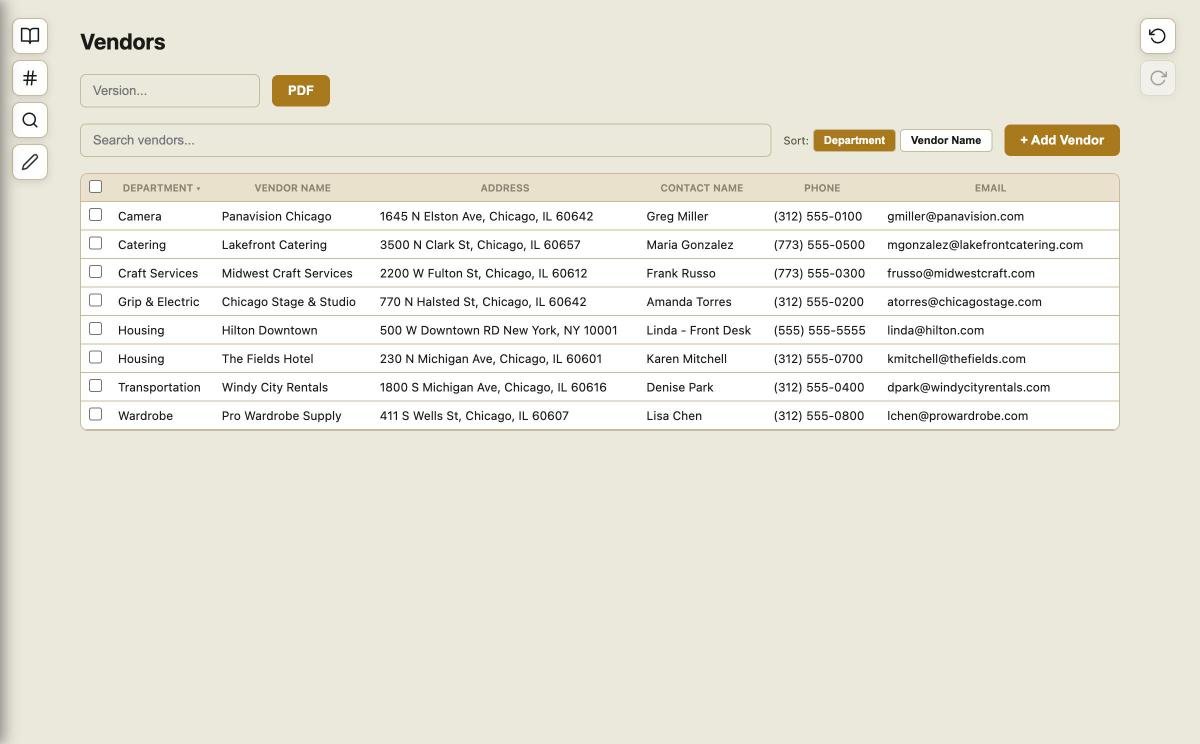
Keep track of every vendor, rental house, and service provider. Store contacts, addresses, deal terms, and notes so the information is always at your fingertips.
- Searchable vendor directory with full contact details
- Track deal terms, rates, and account numbers
- Link vendors to specific purchase orders
- Reuse vendor data across projects
Travel & Housing Made Simple
Manage hotel blocks, room assignments, rental cars, ground transport, and auto-generate Travel Memos for your cast and crew.
Room Blocks & Guest Management
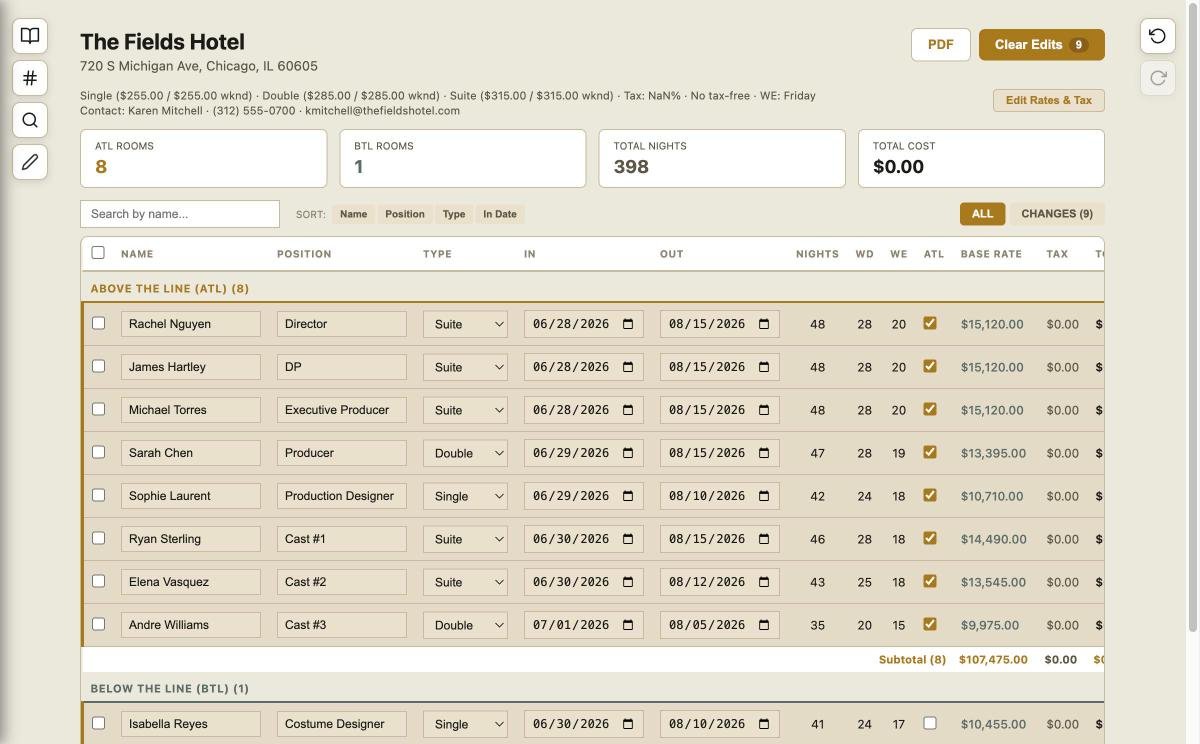
Set up hotel blocks with rates, contacts, and room types. Assign crew and cast to rooms with check-in and check-out dates. See your entire housing picture at a glance.
- Multiple hotel properties per project
- Room rate tracking — single, double, suite
- Guest assignments with date ranges
- Contact info for hotel coordinators
- Export housing reports for travel coordinators
Built for Teams
Real-time collaboration, role-based access, full edit history, and sharing tools designed for how production teams actually work.
Multi-Project Dashboard
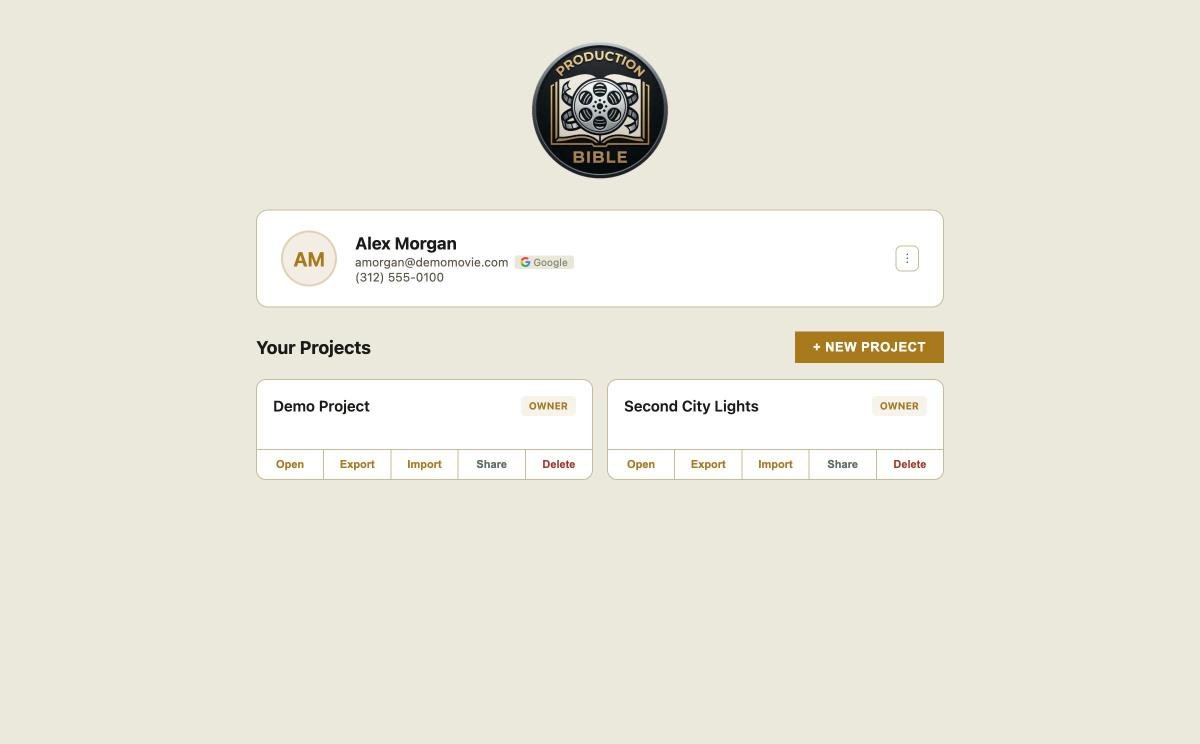
Manage multiple productions from a single account. Each project is self-contained with its own crew, cast, schedule, budget, and settings. Switch between projects instantly.
- Move crew data between projects with a few clicks
- Invite team members with role-based permissions
- Share view-only links for clients and executives
- Project-level settings for dates, locations, and branding
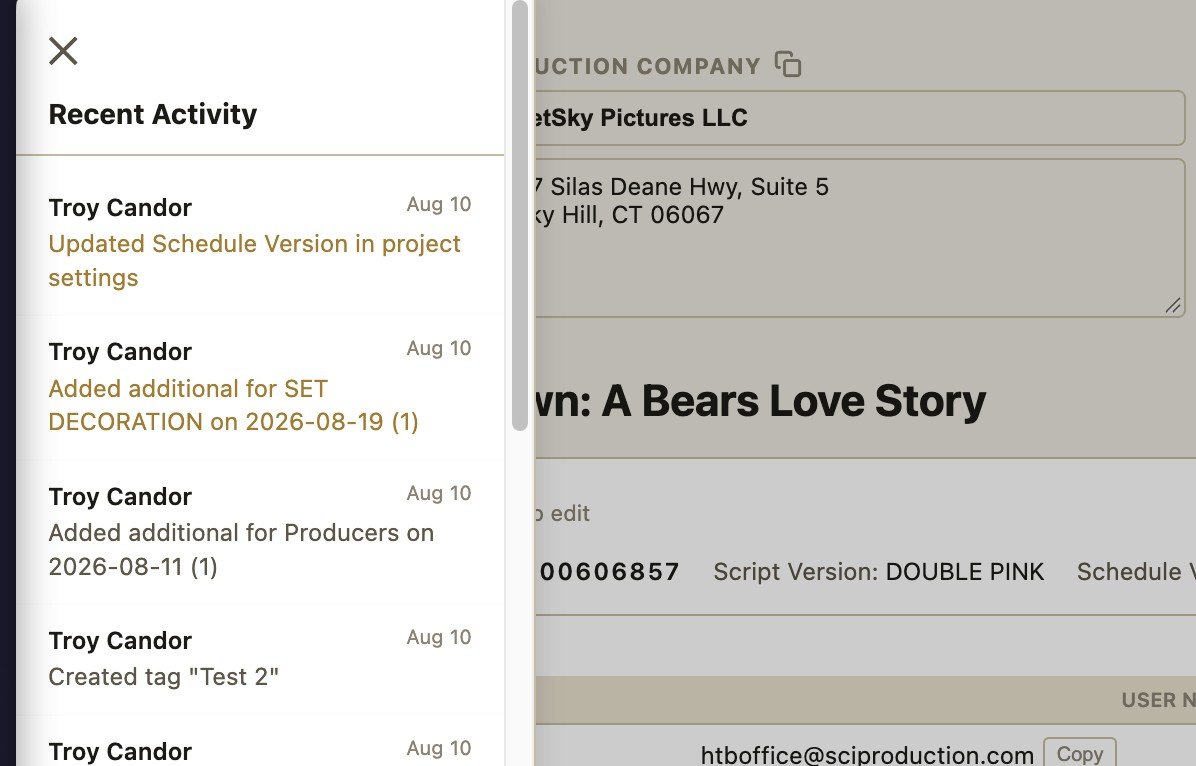
See Every Change, Undo Anything
A complete, timestamped activity log tracks every edit across your production. See who added a crew member, changed a schedule event, or updated a vendor — with full undo/redo support.
- Timestamped edit log with user attribution
- Undo and redo any change across all sections
- Clear change markers after distributing updates
- Filter activity by section or team member
Everything, One Click Away
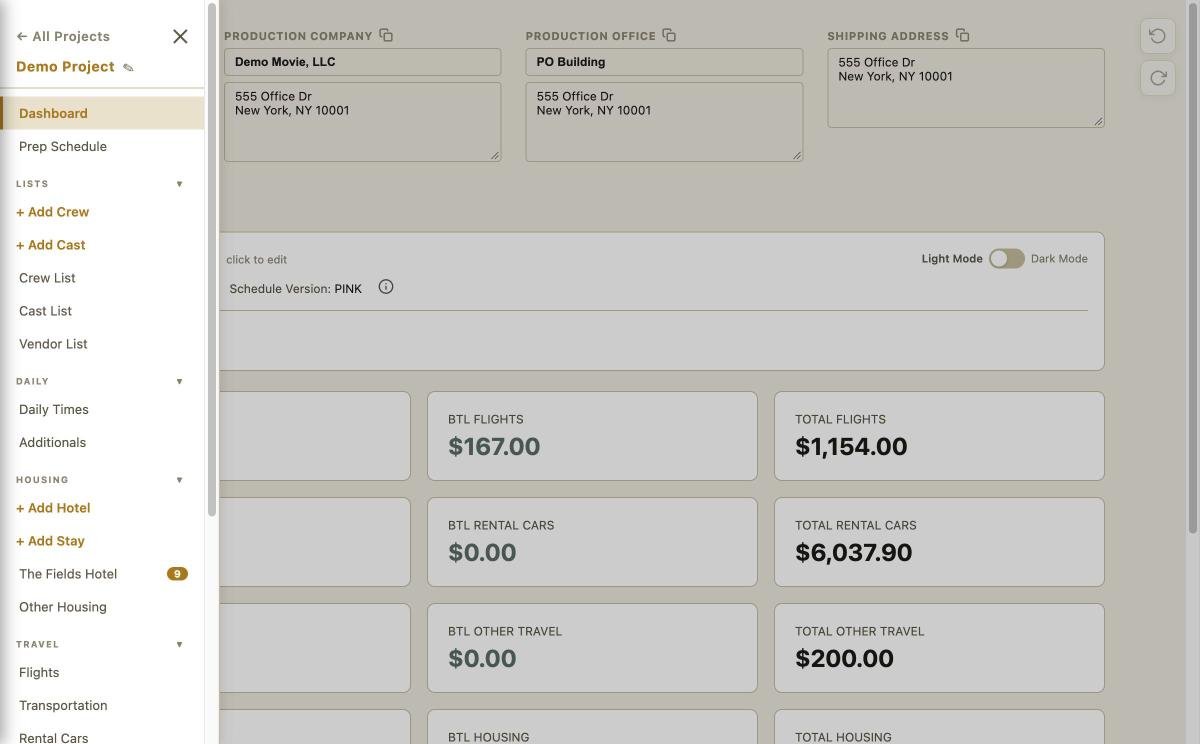
A clean sidebar puts every tool within reach. No hunting through menus or switching between apps.
One App. Zero Tab-Switching.
Stop juggling Google Sheets, Dropbox, email chains, and text threads. Production Bible puts your crew list, cast, schedule, budget, hotels, vendors, wrap memo, gear list, and more — all in a single, purpose-built app.
- Crew List, Cast List, Prep Schedule, Daily Times
- Budget & POs, Vendors, Hotels, Travel
- Wrap Memo, Gear Lists, Production Notes
- Edit Log, Settings, Sharing & Permissions